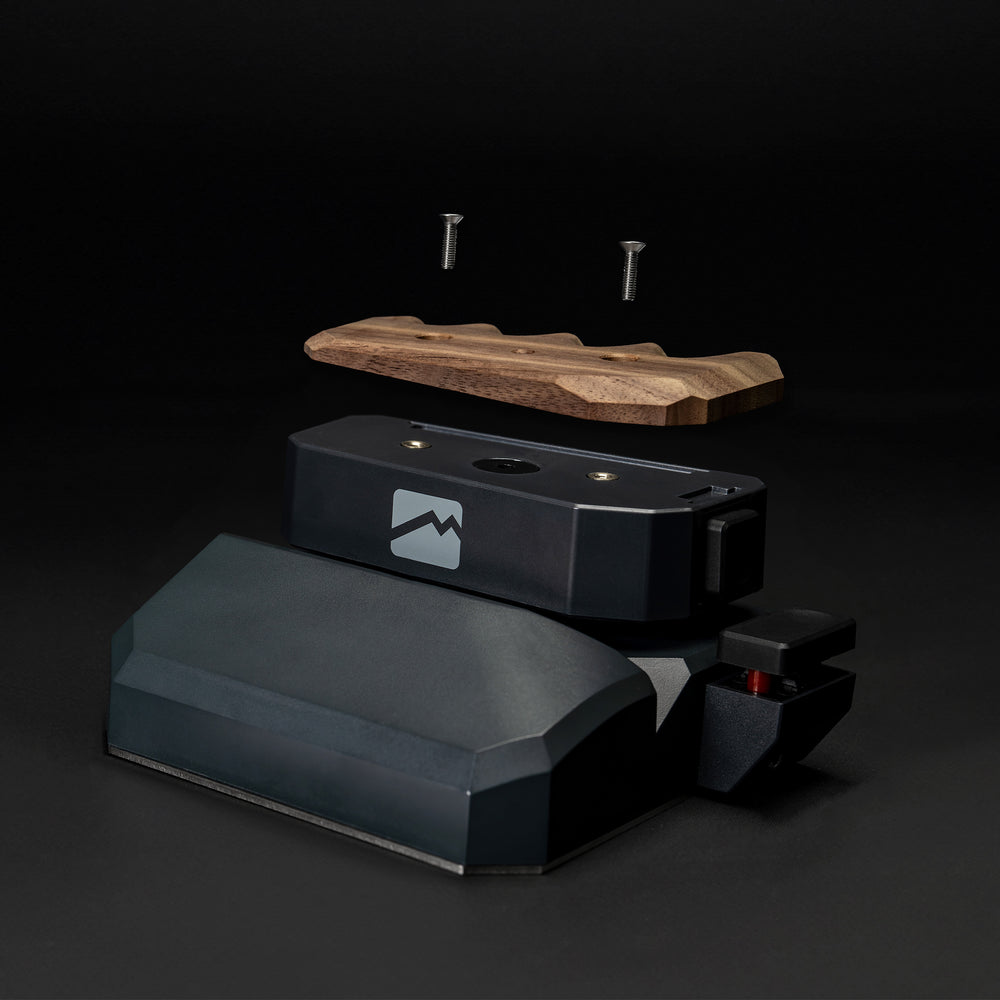

Change the way you play

WASD blocks your fingers. MoveMaster doesn’t.

MoveMaster shifts movement control from your fingers to your wrist. That means your fingers stay free for actions, abilities, and faster combinations instead of being occupied by basic movement input.

WASD blocks your fingers. MoveMaster doesn’t.

don't limit yourself

Two systems. Two approaches.

The keyboard was never designed for gaming.

Movement was simply mapped onto keys — and to this day, it still blocks your fingers.


MoveMaster was built for gaming.

Movement is controlled by your wrist, not your fingers.

Two systems. Two approaches.
Precise control without limitations
More natural wrist movement
🧠 More control. Better gameplay.
Designed for gaming. Built for victory.

Why it outperforms traditional keyboard controls

Discover the problem MoveMaster solves.

The Core Problem

WASD blocks your fingers

With traditional keyboard controls, movement is assigned to the same fingers used for many actions. That is the bottleneck: movement, abilities, reloads, and other inputs all compete for the same hand.

The Result

You constantly have to compromise

With a keyboard, many actions are only possible sequentially or through awkward simultaneous finger movements. Not because you are too slow, but because the input system itself occupies fingers you need for other actions.

The Solution

MoveMaster shifts movement to the wrist

MoveMaster separates movement from your fingers. Your wrist handles movement control while your fingers stay free for everything else happening in-game.

Gameplay

More simultaneous inputs

When movement no longer blocks the same finger space, combinations of movement and actions become much cleaner and more direct to execute.

Agency

Fewer input conflicts

You lose less control because basic movement no longer constantly competes with other keys for priority.

Ergonomics

Less finger strain

Instead of placing every task on the same group of fingers, the workload is distributed differently. Over time, this can feel significantly more natural.

Principle

Not just another keyboard

MoveMaster is not a cosmetic replacement for WASD. It fundamentally changes where movement happens — and that is exactly where its advantage lies.

MoveMaster vs. Traditional Keyboard Controls

Comparison

MoveMaster
vs
Traditional Keyboard
MoveMaster

Movement is controlled by the wrist

Your fingers remain free for additional inputs instead of permanently carrying the burden of basic movement.

Movement Logic
Keyboard

Movement relies on fingers using WASD

Several fingers are already occupied by basic movement and are no longer fully available for other actions.

Advantage

More parallel input

Movement and actions conflict less directly because they no longer rely on the same input pattern.

Simultaneous Actions
Standard

More overlap

The same hand has to manage both movement and additional gameplay inputs at the same time.

MoveMaster

Fingers remain available

Your fingers can focus more on additional keys, abilities, or more complex combinations.

Finger Freedom
Keyboard

Fingers are already occupied

Part of your hand is already dedicated to basic movement before additional actions are even introduced.

How the transition works in practice

How to adapt to the new control paradigm.

01

Understanding the Concept

The biggest misconception is treating MoveMaster like a normal keyboard.
It is not a variation of WASD — it shifts movement away from the fingers entirely.

02

A Short Adjustment Period

At first, it feels unfamiliar. That is normal. Your brain is trained for traditional keyboard movement and needs time to adapt.

03

Feeling the Advantage In-Game

Once you adjust, the real advantage becomes clear: movement and actions feel more independent because they no longer compete as heavily for the same fingers.

Ready to try it?

See the product or dive deeper.

Once you realize what has been limiting you, the next step is simple:
Experience what movement without finger blockage feels like — or explore the technical side of MoveMaster in more detail.

View the product Learn about the technology